
Start a Joyagoo QC check with the product you meant to order. Keep its model, colour, size and included pieces beside the arrival images. Without that reference, it is easy to judge whether a photograph looks attractive while missing a different option or an absent part.
Confirm the item before discussing quality
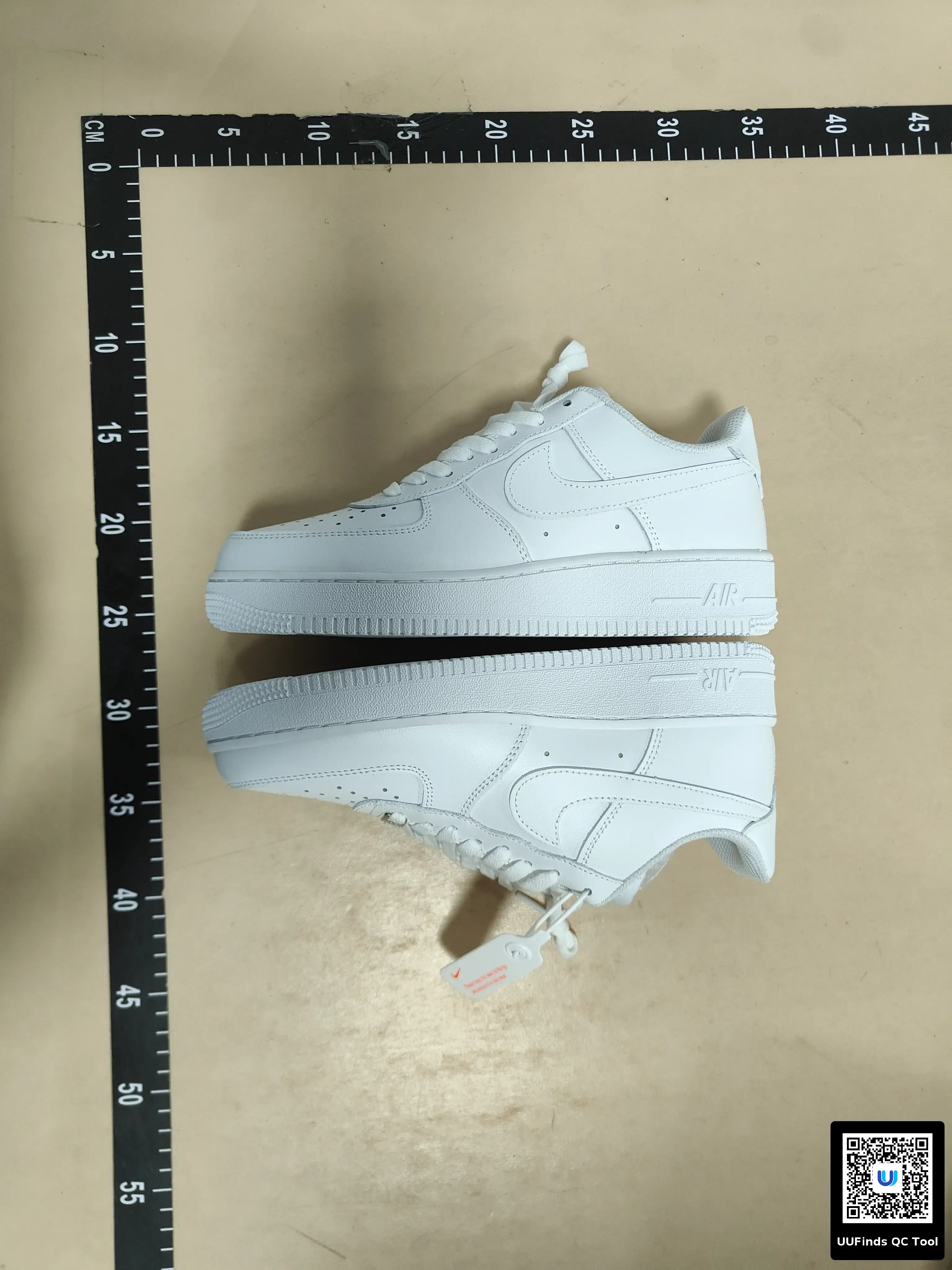
Compare the quantity and variant first. For paired goods, look at both pieces where the views allow it. A single front view may not show the fastening, side panel or label that matters to your choice. Note what is visible and what is not instead of treating every unseen detail as either correct or defective.
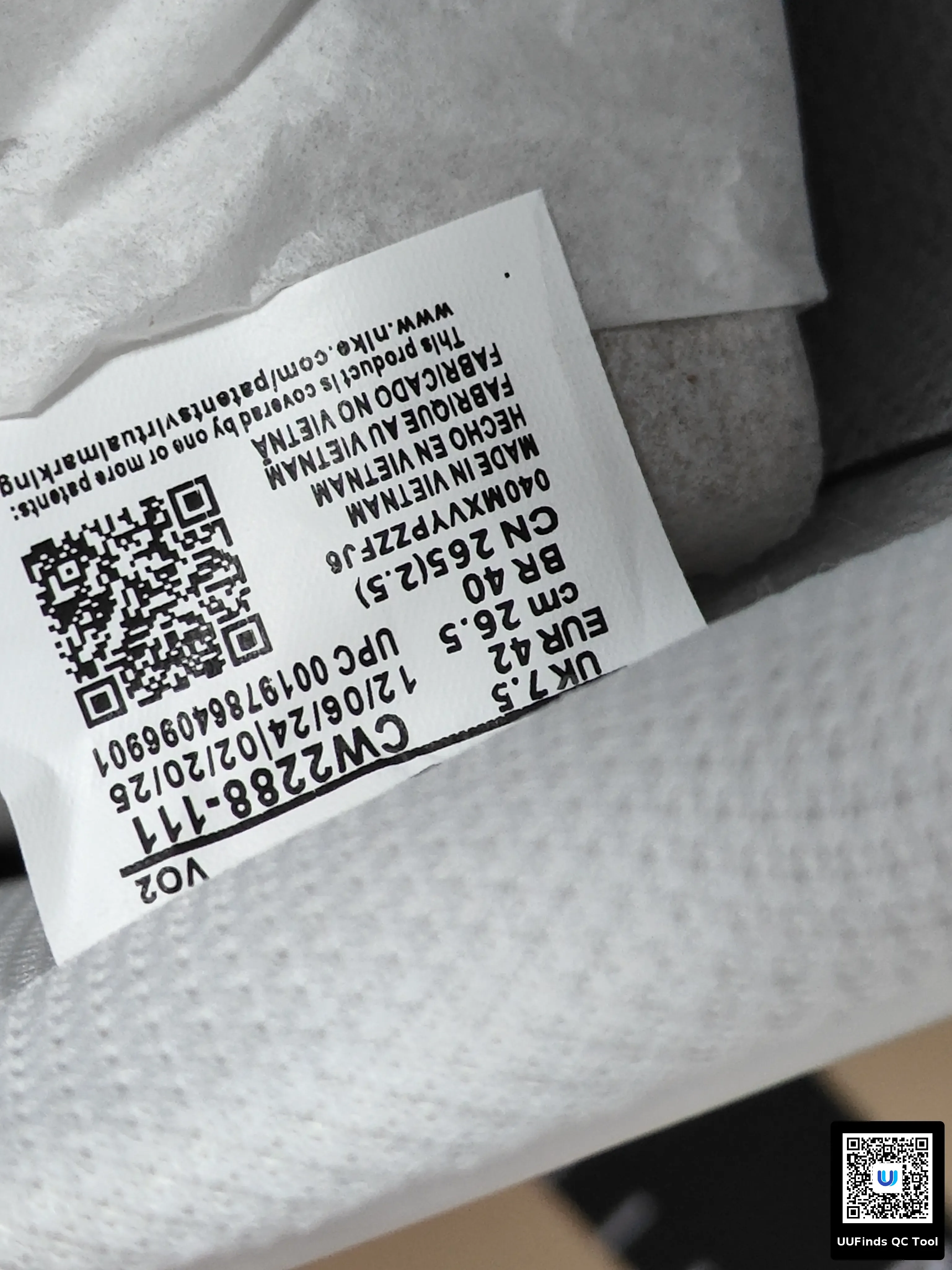
The public UUFinds examples below show a white shoe pair and a size label from that reference. They can illustrate visible panels and printed markings. They are not photographs of your own purchase, proof of authenticity or a confirmed match to an the catalog offer currently available for sale.
Ask for a specific missing measurement
Identify the dimension and how it should be measured. A flat garment width, bag opening and internal shoe length are different requests. If the question is fit, another general photograph may not supply the information you need. Explain which measurement will determine whether the item is suitable.
Joyagoo's clothing QC description covers selected size, colour and visible issues. A clear image does not establish every material claim, long-term durability or comfort after use. Keep the visible observation distinct from a conclusion that needs another type of evidence.
QC finder and completed-status questions
A Joyagoo QC finder or spreadsheet with QC can show references associated with a model. Check their source and variant before comparing them with a current order. A “QC completed” status indicates a stage; it is not proof that every property was tested or that every concern has been resolved.
When sharing an inspection question, keep the product detail and remove unnecessary personal or account information. Do not post shipping labels or a full account screen when a focused view would answer the question.
Electronics and iPhone-related offers
Clarify whether a listing concerns an iPhone device, case, cable or another accessory. Joyagoo describes electronics inspection as visual rather than a power-on functional test. Visible fittings cannot establish battery condition, compatibility or working functions by themselves.
Check shipping eligibility for the actual contents, especially where batteries are involved. Browse the catalog accessories for candidates, use source-link checks to preserve the right option, and return to your own order images for the warehouse decision.
Jerseys: check the selected design and personalisation
A football-shirt picture can stand for several different offers: a shirt alone, a shirt-and-shorts kit, a children's set or an option with lettering. Before saving a Joyagoo jersey find, identify which one the selected variant actually contains. A familiar club design does not resolve those differences.
Record the design you mean
Keep the season or design description shown by the seller, the colour and the selected fit information. If you are looking for a specific collar, sleeve pattern or badge arrangement, compare those details instead of relying on the team name alone.
Compare measurements and included pieces
Check what the displayed amount includes. If names, numbers or additional pieces are selectable, inspect the actual option and spelling before ordering. Do not infer a customisation service or a guaranteed print quality from the main photo.
Use QC for visible details
Compare your order's images with the recorded selection. A visible letter, badge or seam can be examined only where the image provides enough detail. Ask for the relevant view if the concern is not shown. A photo cannot by itself prove licensing, authenticity or resistance to repeated washing.
Keep the kit in the wider purchase plan
If you add other clothing, record each piece separately before choosing parcel contents. The buying guide explains the stages, and shipping guidance keeps the later transport cost distinct from the shirt or kit price. This avoids losing an important variant detail once several similar items enter one basket.